
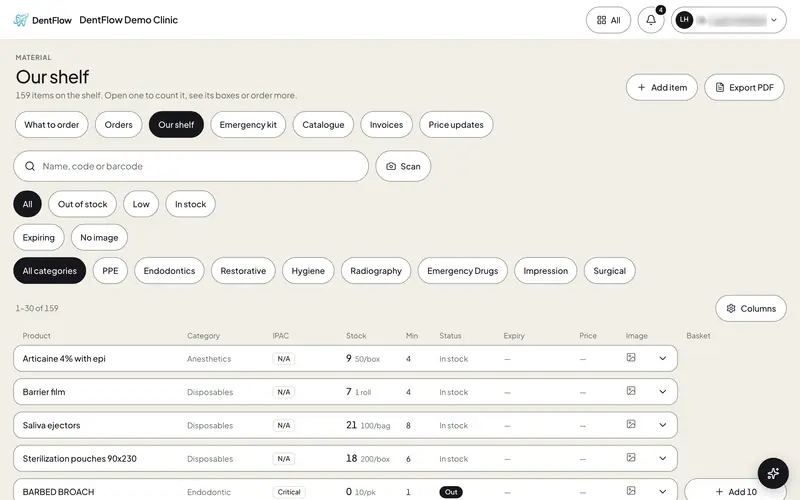
Your whole shelf, by name, code or barcode.
Our shelf lists every item the clinic keeps, with its count, its minimum and its status. Find one by name, code or barcode, or press Scan on the phone and read the code on the box.
Inventory and Scan
What it does.
Scan from the bottom bar
On the phone, Scan sits in the middle of the bottom bar, one press away.
Search by what is on the box
The name, the code on the invoice, or the barcode.
Out of stock, low, expiring
Filters for what needs you, and categories from PPE to surgical.
The shelf as a PDF
Export the whole shelf when somebody asks for it on paper.