
Dental supply ordering, in two taps.
DentFlow lists what your clinic is short of, with the critical items already ticked. Tick one more if you want it, and one press puts every ticked line on this month’s order, each under its own supplier.
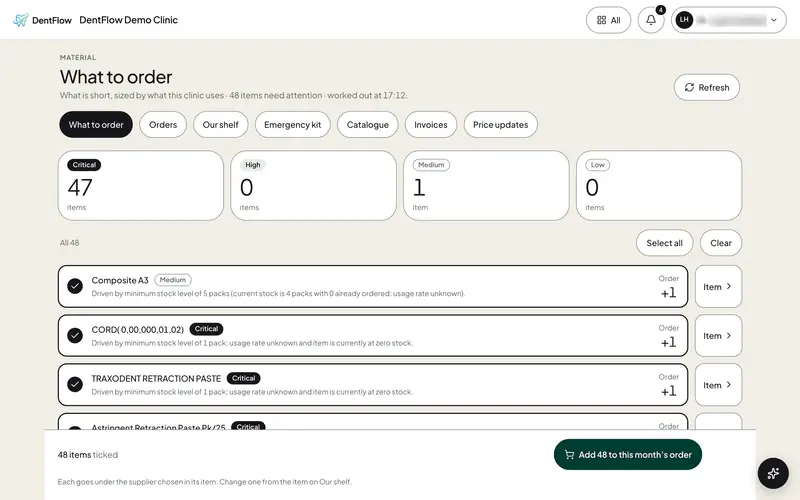
Dental supply ordering
What it does.
Worked out for you
Each item’s count is held against its minimum. Nobody adds anything up.
Tick, then order
The critical lines arrive ticked. Add or remove one, then put them all on the order.
Under each supplier
Every line goes under the supplier chosen in its item.
Each line says why
Below its minimum, out of stock, or how many packs are already on order.